Social content has a second life in Google Search. Posts from X show up in results, YouTube videos get impressions in Discover, and brand profiles rank for branded queries. Until now, anyone who wanted to know how much of that was happening to their own content had to guess.
This month the guessing became unnecessary. Platform properties in Search Console, announced on July 7, 2026, opened up to everyone in late July after a gradual rollout: connect an Instagram, TikTok, X or YouTube account and get reports on how it performs in Google Search, Discover and Google News. Google: See how content from social and video platforms performs on Google Search
I connected my X account to see how it works in practice. It took under a minute, and the part that surprised me was verification: no DNS, no file, no password. More on that in a moment.
What are platform properties in Search Console?
Until now, a Search Console property was a website: a domain or a URL prefix. Platform properties add a new type: an account on a social or video platform.
Each connected account becomes its own property with its own reports, exactly like a website does. If you manage several accounts, you connect each one separately.
This is also the first time you can get Google Search data without running a website at all. A creator whose entire presence lives on TikTok can open Search Console, connect the account, and see what Google does with their content.
Which platforms you can connect
The property list now shows a new Add property option with four platforms underneath:
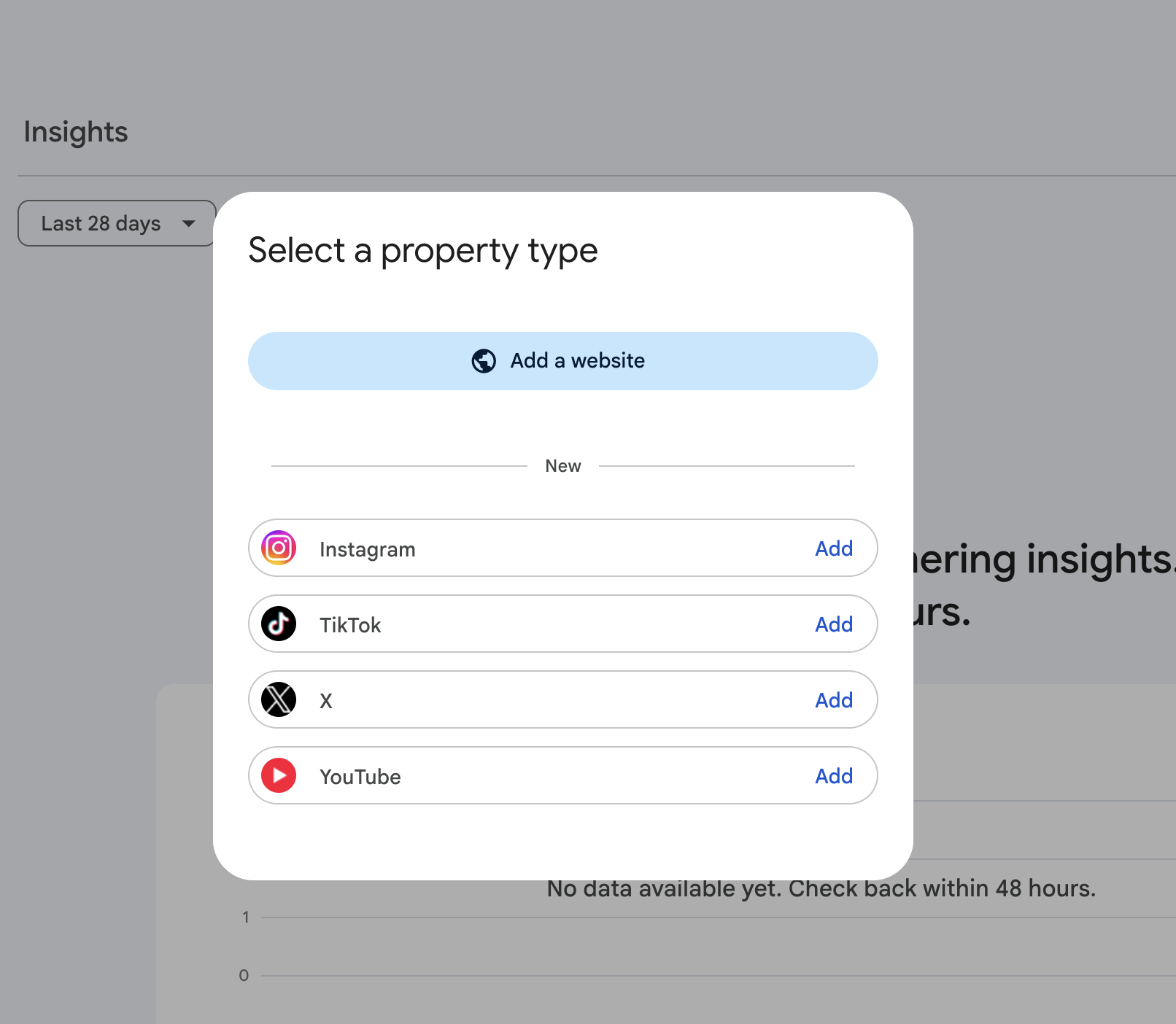
The makeup of the list says something too. Three of the four platforms are built around short-form video, a format Google already indexes and shows in results and in Discover. I read that as a clear nod to creators and influencers: here is your search data, no website required.
What I miss on that list is LinkedIn. That is where brands actually play, especially in B2B, and it is the one sitting outside. For now, Google has said nothing about extending the list.
How ownership verification works for social accounts in Search Console
For website properties, ownership verification is a familiar ritual: a DNS record, an HTML file, or a tag in the code. Here it works differently, and this is the part that surprised me.
Picking X from the list opens a consent screen from X itself: Allow Google access to your X account. Google asks to link the X account to your Google Account, with permission for basic profile info only.
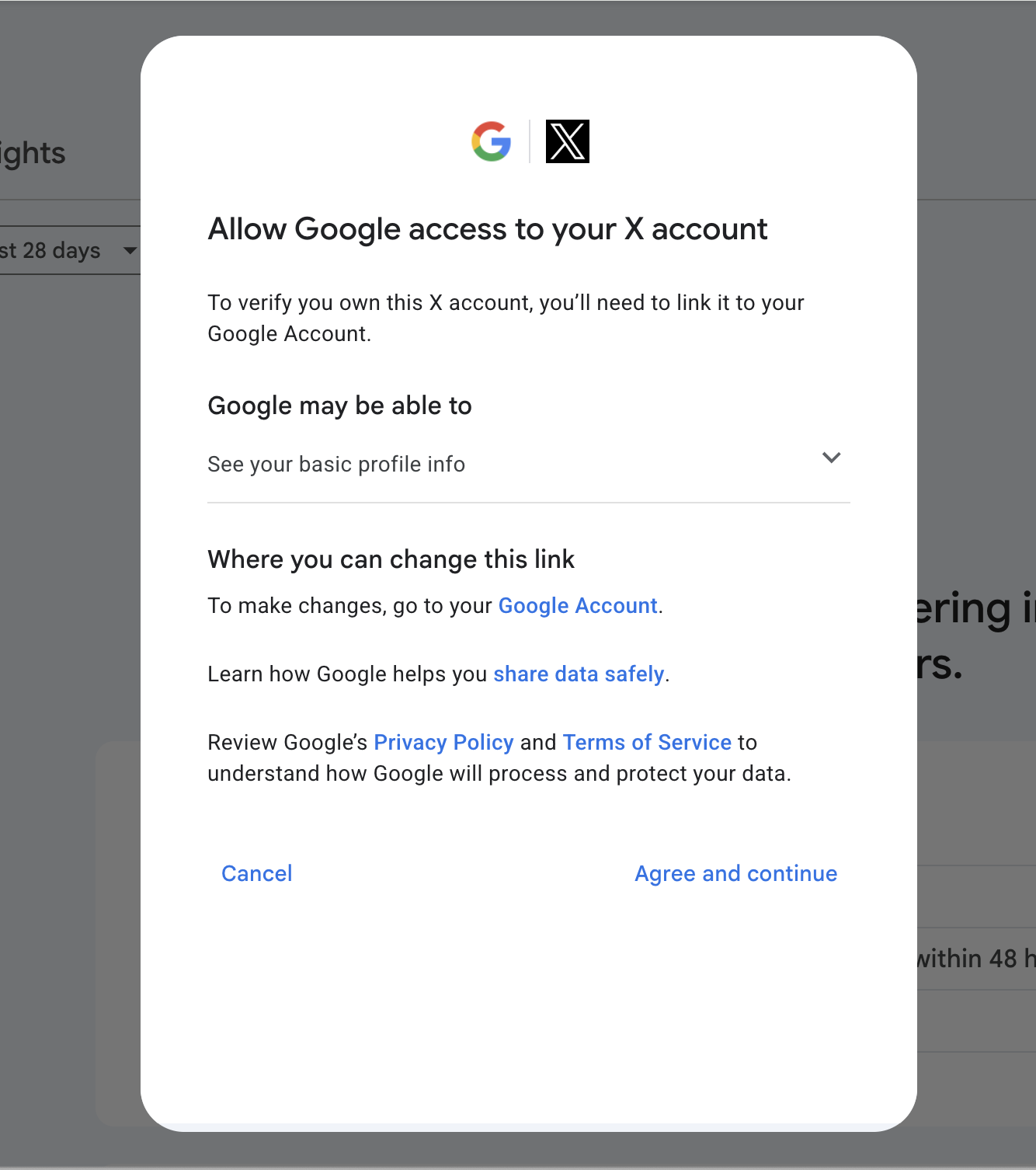
I was already logged in to X in the same browser, so no password was ever typed. One click on Agree and continue, and the property was live. The link does for a social account what a DNS record does for a domain: it proves control. The difference is that nothing new gets crawled here. Google already indexes this content, and the property is essentially a filter over search data that is already being collected.
YouTube is even shorter: the dialog simply lists the channels already linked to your Google Account, and all it takes is picking a channel and clicking Add property. No consent screen at all.
Verification is also not one-and-done. Google re-checks the link periodically, and if it breaks, for example after revoking the permission on the platform side, reporting pauses until you re-verify. The history comes back the moment the link does, with no new waiting period for data.
From the moment the property is created, the reports say data is being processed and to check back within 48 hours. Google’s documentation actually says a few days, so if you connect an account and the reports are still empty on day three, that is what the beginning is supposed to look like.
A platform property’s reports: a website’s reports, with Posts instead of Pages
A platform property gets three reports: Performance, Insights and Achievements.
The Performance report will look very familiar to anyone who works with Search Console. Same metrics: clicks, impressions, CTR and average position. The breakdowns are by query, country, device, day and Search Appearance, meaning the result types your content appeared as. And one difference stands out: the Pages dimension is now Posts.
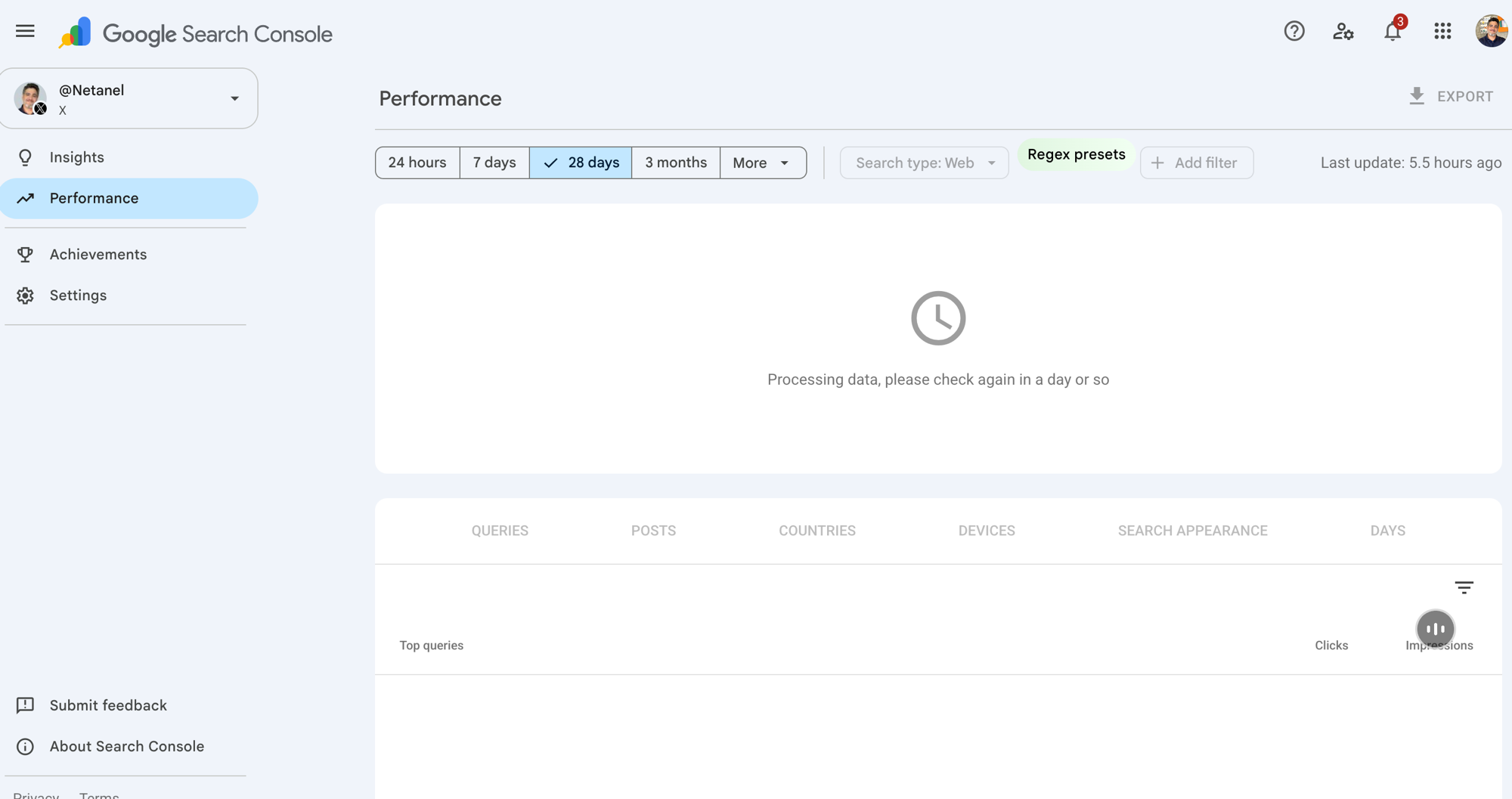
That means you can see which specific posts get impressions and clicks from Google, and on which queries they appear. The numbers deserve a careful read, though: per Google’s documentation, on the Insights page the top summary card covers clicks from across Google’s services, while the detailed lists beneath it focus on web search results, so the totals will not always add up. The Performance report opened for me on the same logic, with Search type: Web. And Discover and News reports only appear if the content actually gets traffic from those surfaces. Google: About platform properties in Search Console
And all of these numbers count what happened on Google only. An impression here is an appearance in Google’s results, not a view in the platform’s feed. Anyone coming from Instagram or TikTok analytics will see numbers that are orders of magnitude smaller, and that is not a malfunction. These are two measurement worlds that are not supposed to reconcile.
The Insights report is the quicker read: overall clicks, top content, content trending up and down, the queries leading to your content, and top countries. Achievements marks click milestones, in the style of the notifications website properties get.
Broadly, this is a lite version of what a website property gets. No Crawl Stats, no URL Inspection, no sitemaps, and the entire side menu is four items: Insights, Performance, Achievements and Settings. Which makes sense, because nothing is being crawled on your behalf, so there is nothing to monitor. But three reports is still a lot more than what existed for social content in Google until now, which was nothing.
What is already clear: there is no backfill. Data starts accumulating from the moment you connect, and a new property shows a partial period. The Performance report can already be exported from the interface. What is still open: whether platform properties get the 16-month window website properties have, and whether they will be exposed through the Search Console API or BigQuery bulk export. There is no documentation either way on both.
A shared data layer for SEO and social teams
That covers the facts. From here, a few thoughts of my own on what this changes.
Platform properties put search data on social content for the first time, inside the tool the SEO team already lives in. To me this is the genuinely interesting part, more than the reports themselves.
Because in most organizations I know, the SEO team and the social team work on the same brand and barely share data. SEO has Search Console and the site’s analytics. Social has the platforms’ native analytics: likes, shares, reach, followers. The two teams measure separate worlds, and nobody owns what sits between them.
A shared layer opens up a few practical things:
- The SEO team sees which social content appears in search and on which queries, and can spot topics that work on social before the site has a page about them.
- The social team gets a metric that does not depend on the platform’s algorithm: impressions and clicks from Google, including real searcher queries.
- Joint topic planning gets a foundation: if a post keeps ranking for a commercial query, that is a signal for both the site’s content and the next social post.
- Repurposing decisions get grounded: a post that keeps pulling search impressions months after publication is a natural candidate for an expanded page on the site, or another push on the platform.
I would not present this as a revolution. It is one more report, and a young one. But until now these two teams did not have a single shared screen to look at, and now they do.
Google starts treating the website as one arm of the brand
For years, Google’s measurement started and ended with the website. Everything else, profiles, channels, platforms, existed as far as Google was concerned but had no place in Search Console. Now Google is aligning the tool with something that has been true for a while: the entity that is your business lives in several places at once. The website, the Instagram account and the YouTube channel are all arms of it, and a Google results page assembles those arms into a single answer about the brand. What is Entity? An entity is a brand, person or concept search engines and AI models treat as one thing, with a name, attributes and links to other entities. Full definition of Entity
In my experience with Israeli brands, the gap shows most on branded queries: search the brand name and you get a site, profiles, videos and articles, and only a small part of that is managed or measured by anyone in the organization.
This is also why the feature connects directly to GEO work for me: an AI engine building an answer about a brand pulls from the profiles, the channel and the coverage too, not only from the site. Measurement that covers only the website misses a large share of the places that answer is built from.
It is still a small report covering four platforms. But it is the first time Google hands out numbers for something that is not your website, and it is worth watching whether the list grows.
What to do now with platform properties
There is no backfill, so every week without a connection is data you can never recover. So:
- Connect the brand’s official accounts now: Instagram, TikTok, X and YouTube. Connecting takes minutes.
- Add the social team to the new properties in Search Console, and decide who actually looks at these reports.
- After two or three weeks, go through the data together: which posts appear in search, on which queries, and what that means for both teams’ content plans.
- Look at these properties through a GEO lens too: the arms Google now measures are part of the sources AI engines build brand answers from.
- If you have no website at all, creators and social-first businesses: this is your first way to see real Google Search data. Use it.
I am waiting out my own 48 hours to see what the reports show for an X account with thin activity. Once there is data, I will update here with what I actually got.