See ChatGPT's query fan-out: what it searched, cited and skipped
A free Chrome extension for SEO and GEO. It shows every search behind a ChatGPT answer, the pages it cited, the ones it found and left out, and any domain's path through it.
 Free on the Chrome Web StoreAdd to Chrome For Chrome, Brave and Edge on a computer. No account needed.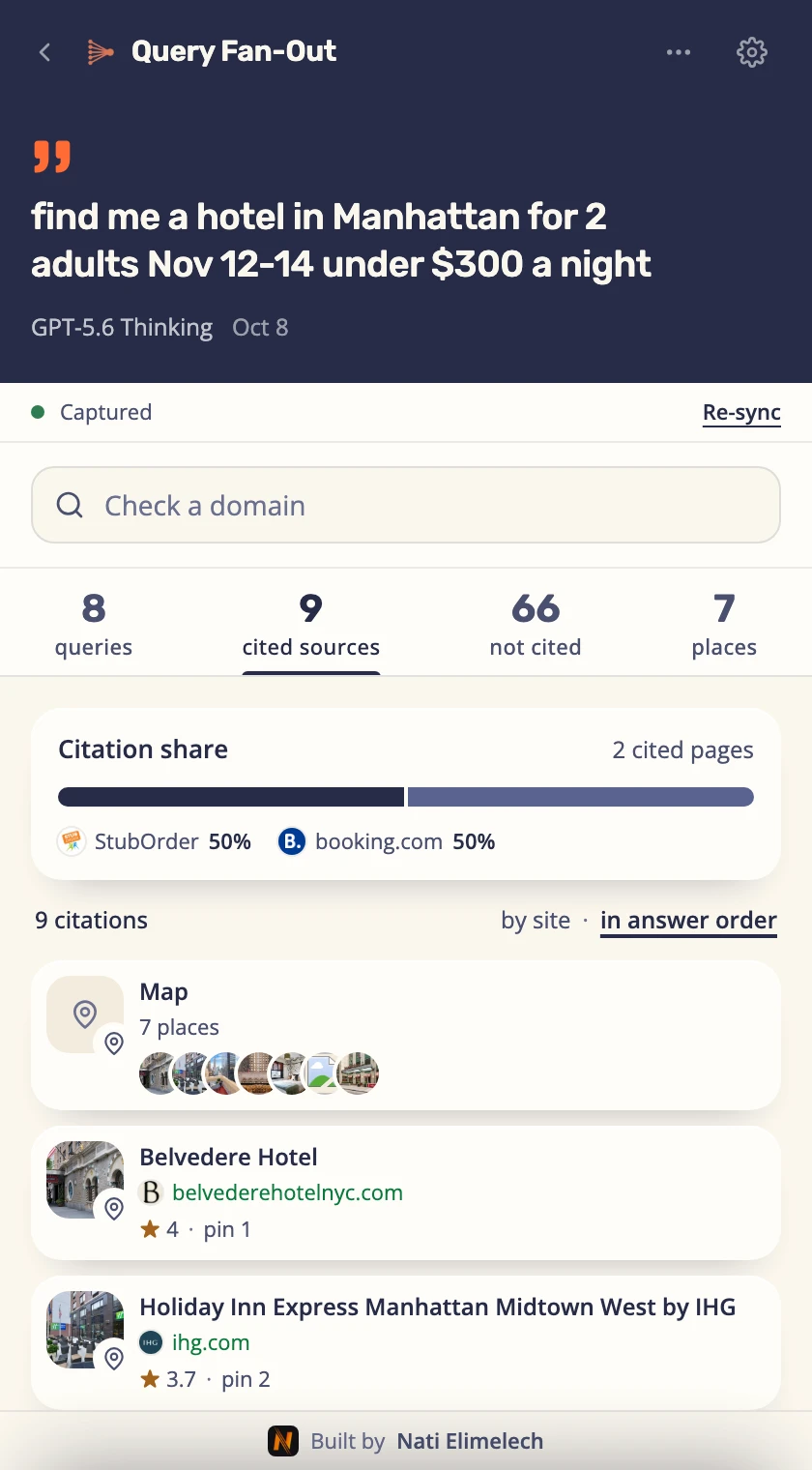
What is query fan-out?
Query fan-out is how ChatGPT actually answers a web question. Instead of running your exact wording once, it breaks your prompt into many parallel searches, pulls sources for each one, then writes a single answer that cites just a handful of them. None of that shows in the chat. This extension records all of it in a side panel next to ChatGPT, so you can see whether a site loses at retrieval or at citation. Read my full guide to query fan-out.
I originally built this for my own SEO and GEO consulting clients, so they could see exactly how they show up inside ChatGPT's answers, and where their competitors get cited instead. They loved it. So I'm opening it up: free, for everyone. Nati Elimelech
What it shows behind every ChatGPT answer
Every conversation opens on its headline counts (queries, cited, not cited), so you can tell at a glance whether ChatGPT is picking up your pages or a competitor's.
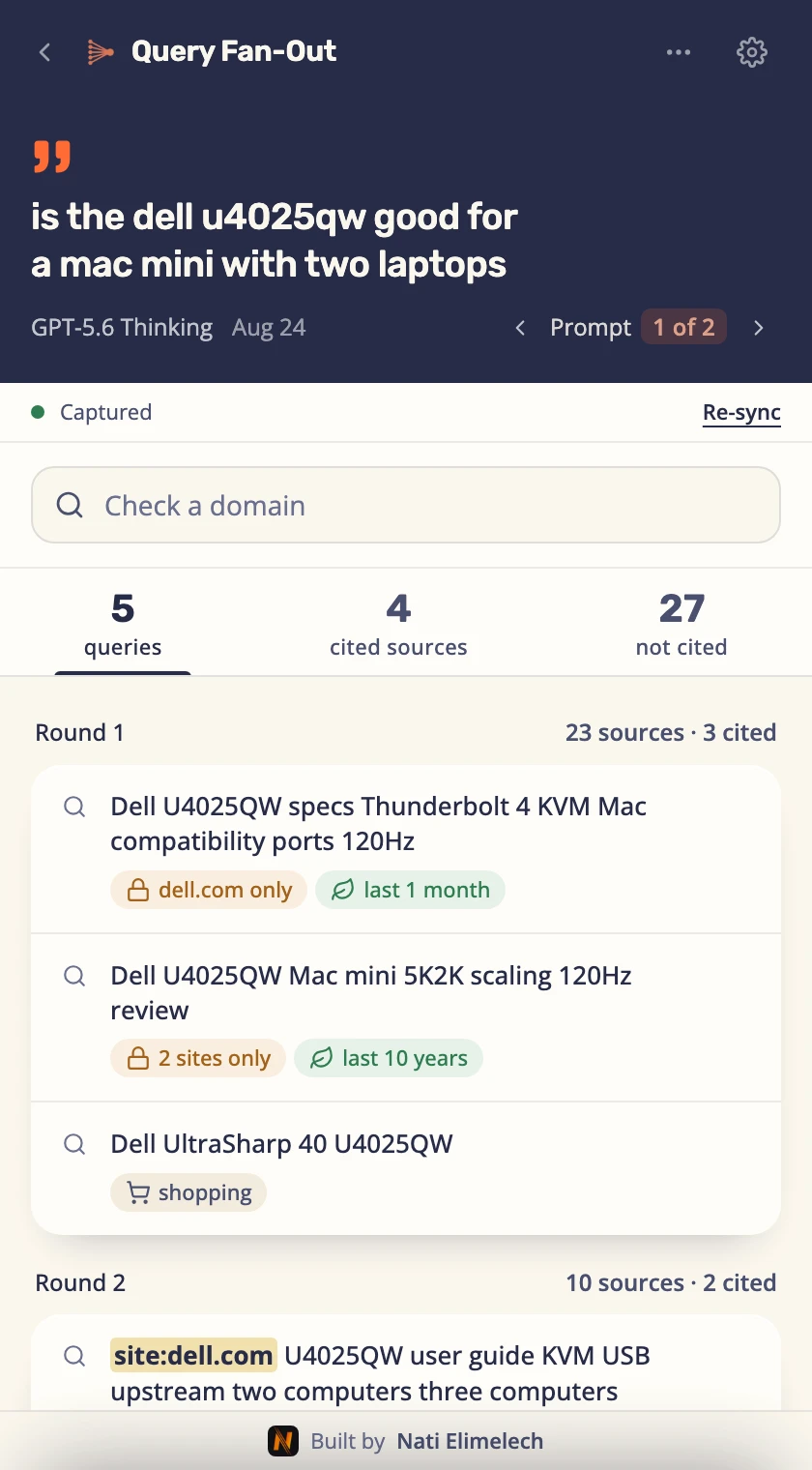
Every fan-out query ChatGPT ran
Each search behind a prompt, round by round, with the limits it set: the sites it was locked to, how recent results had to be, any site: it added.
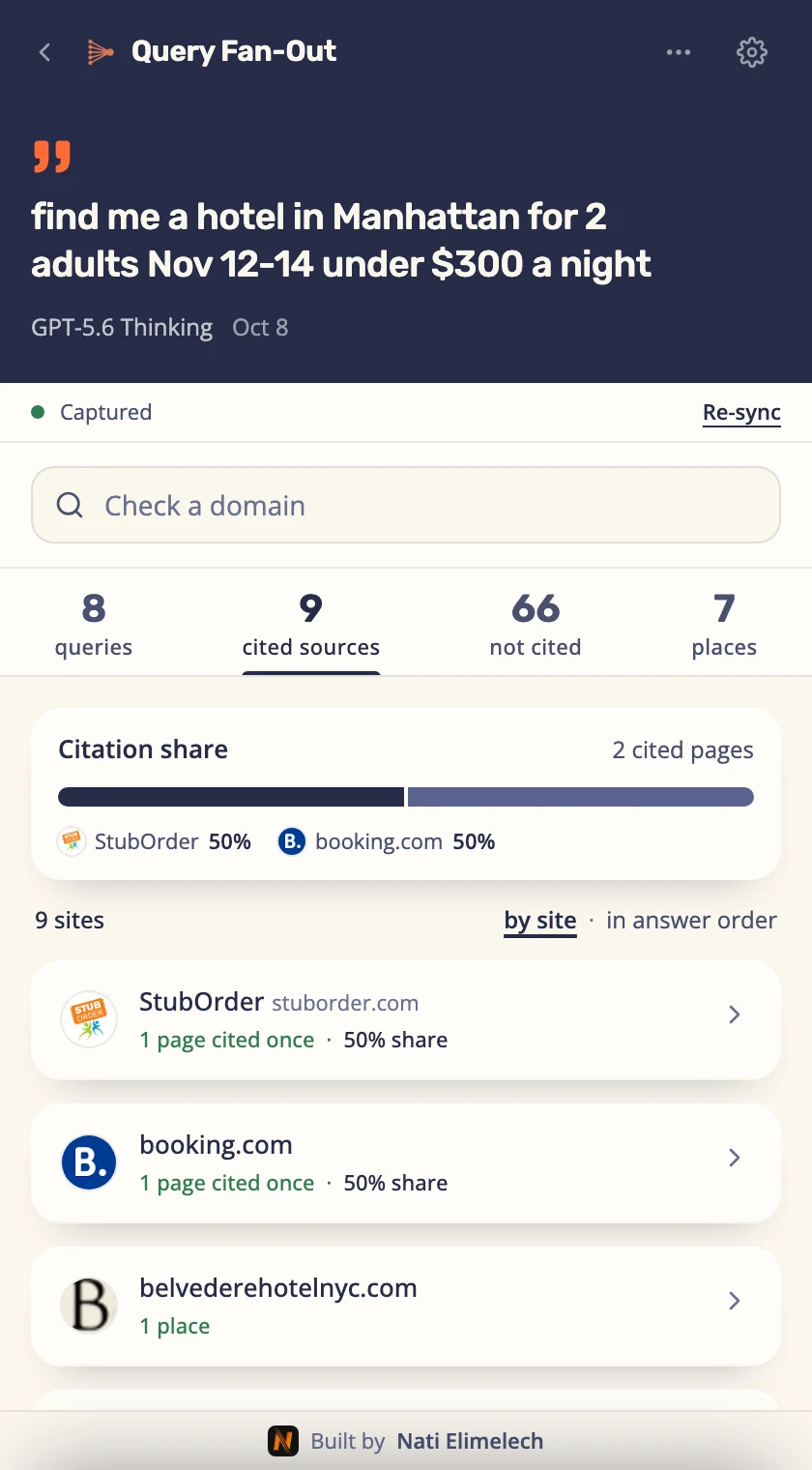
The sources ChatGPT cited
The pages it cited, how often it used each one, and each site's share of the citations.
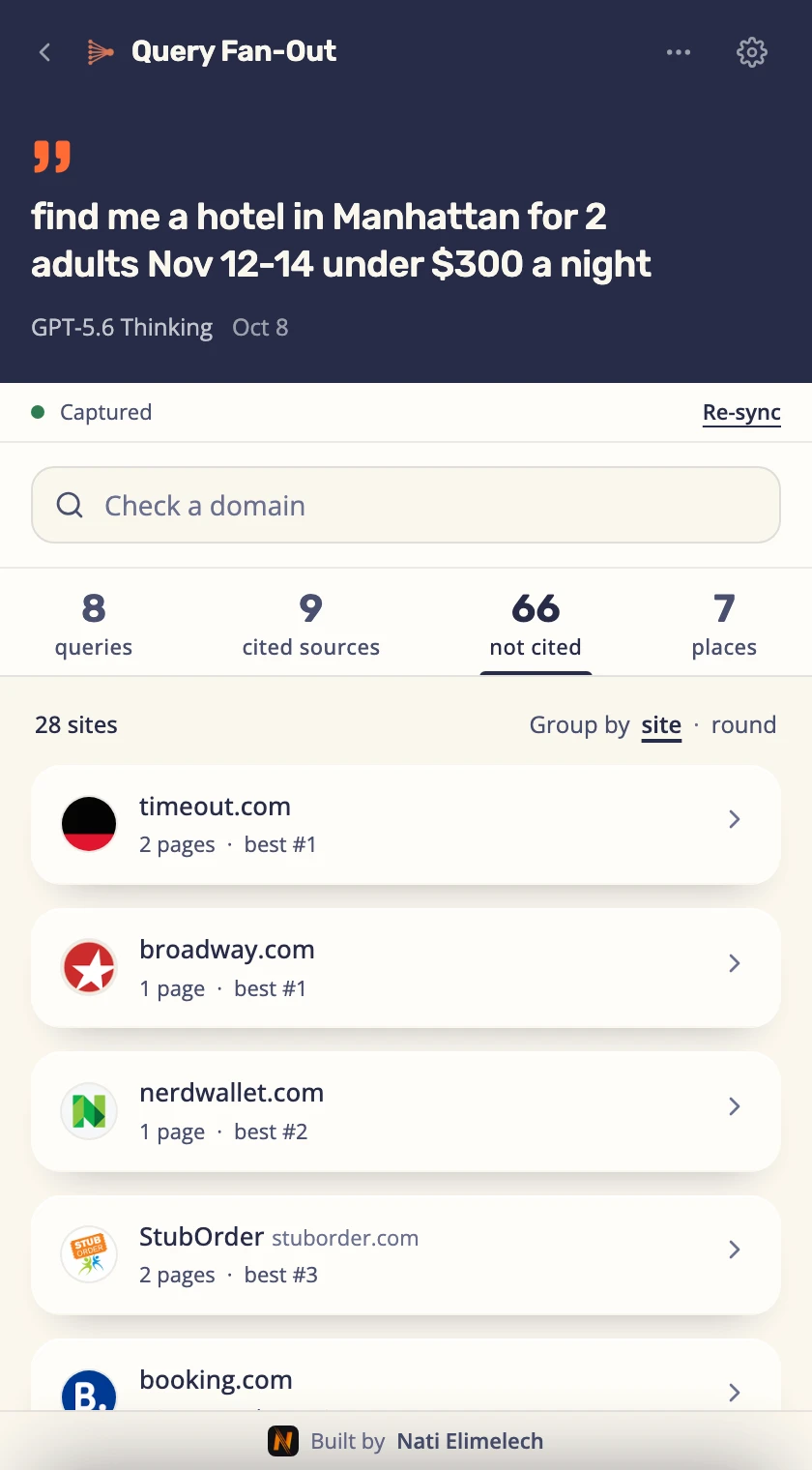
What ChatGPT found but didn't cite
Every page the searches brought back that the answer didn't use, with the best rank it reached.
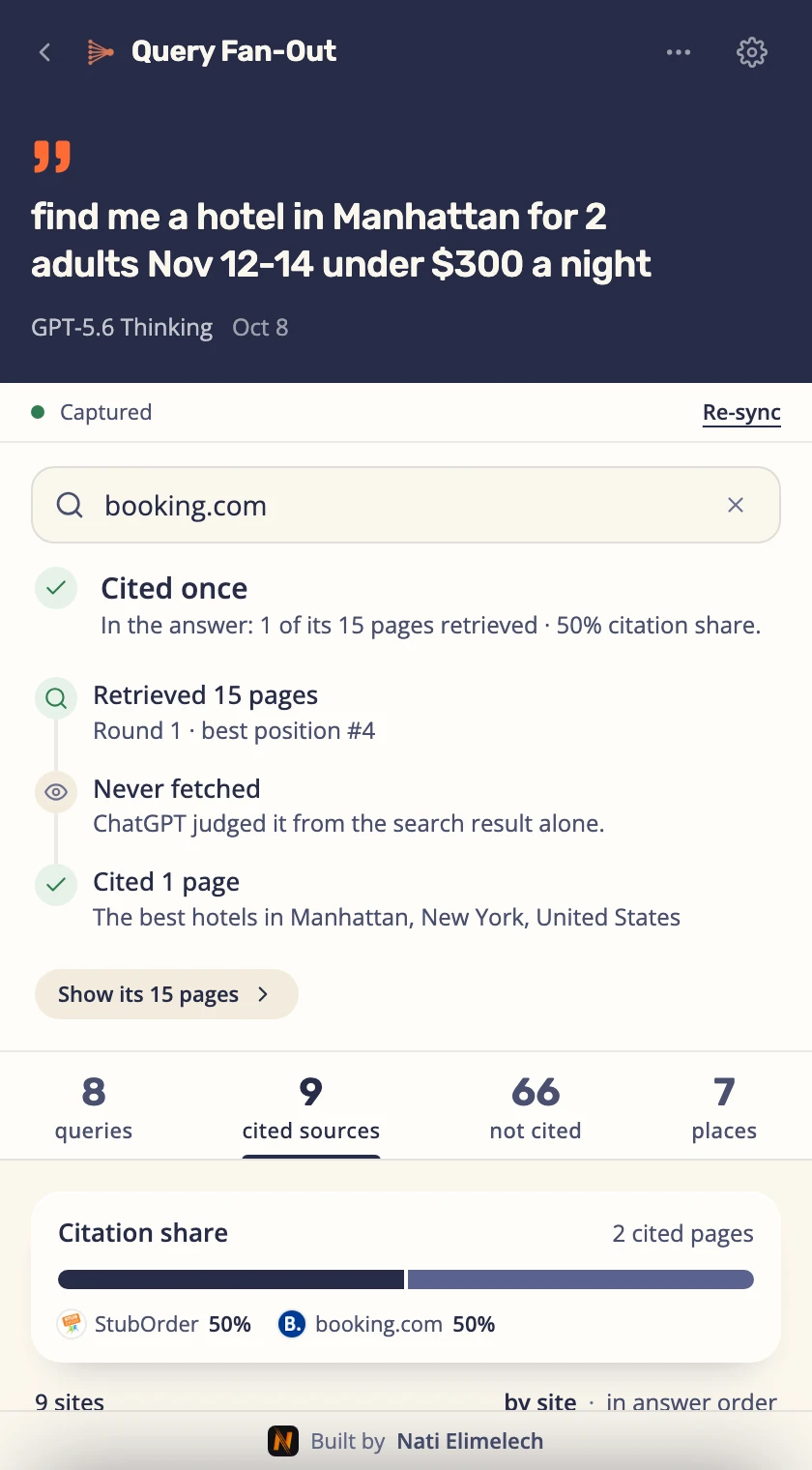
Any domain's path through the fan-out
Type a domain: retrieved or not, which round, how high, opened, cited. See whether it lost at retrieval or at citation.
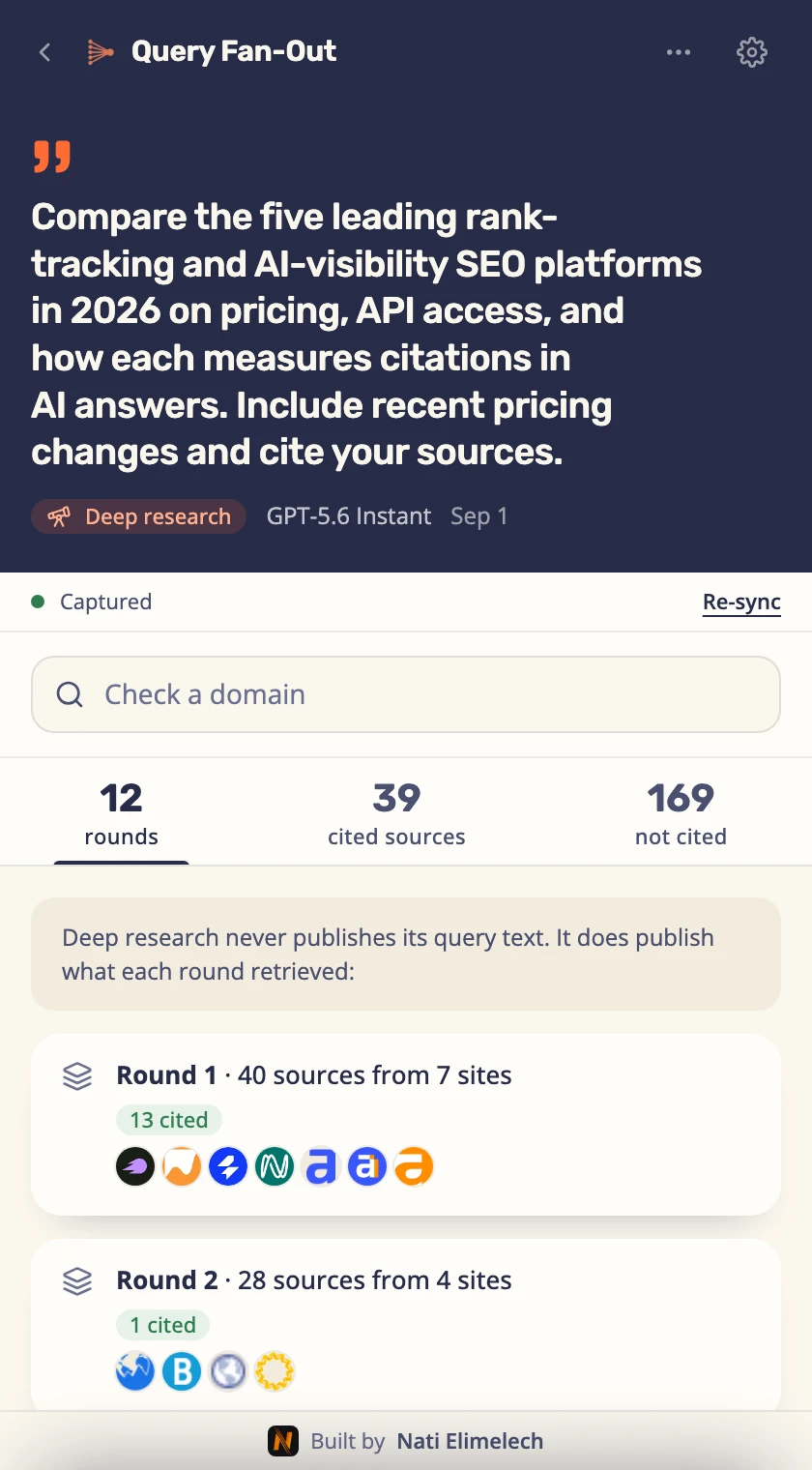
Deep research, round by round
Every page behind a deep research report, grouped by site or by search round, with what each round cited.
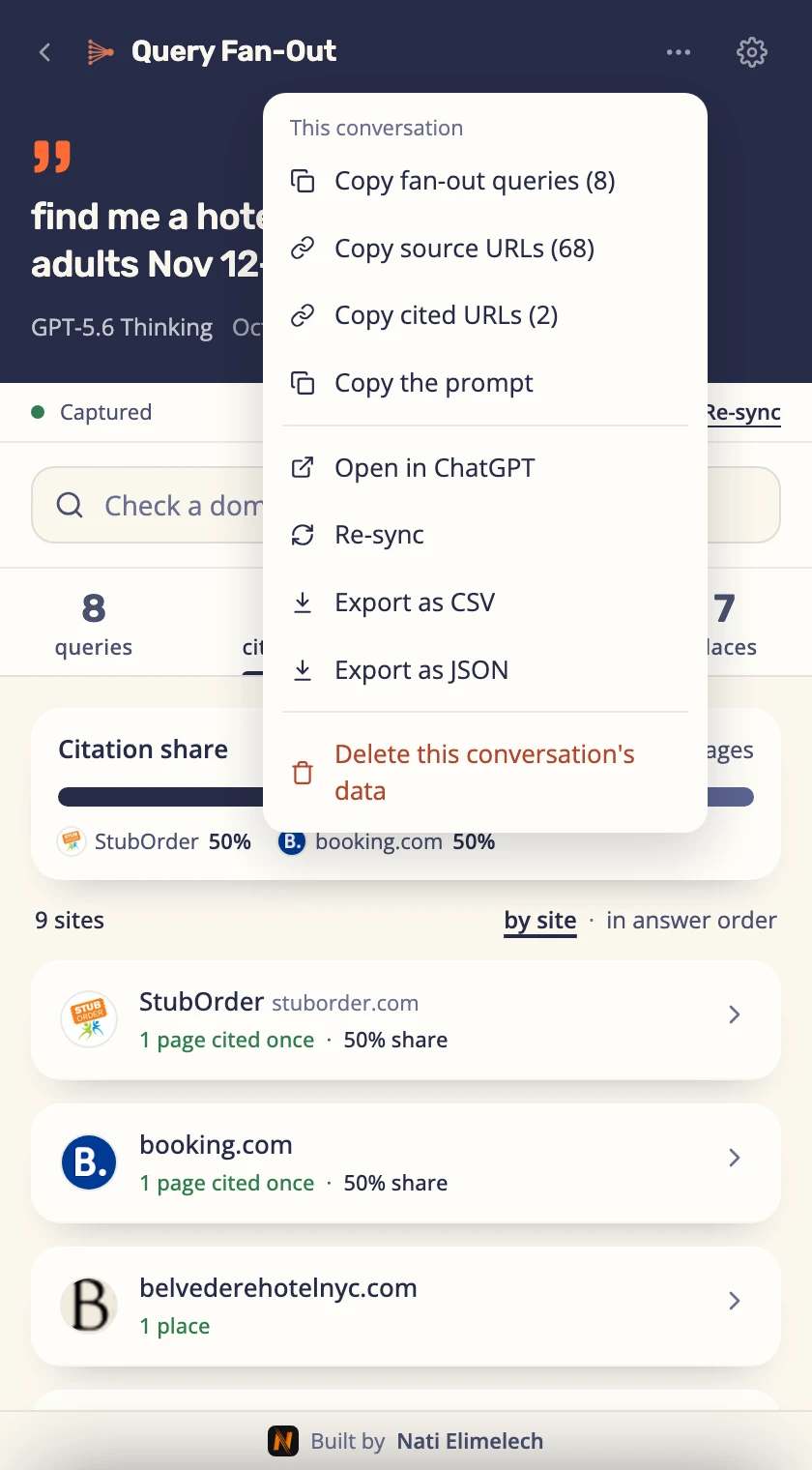
Export the fan-out to CSV or JSON
One conversation or all of them, with every detail the panel shows. Or copy the queries, the URLs or the prompt.
How it works
- Open the side panel from the toolbar and use ChatGPT normally.
- As answers stream in, captures appear, grouped by conversation.
- Past chats? Open one and its data syncs on its own, under the conversation's original date.
- Drill into any conversation to inspect its fan-outs, check any domain, copy any query or URL, and export it all as JSON or CSV.
Everything else the extension captures
Private by design
I don't track you. I don't show you ads. I don't harvest your data. And I never see or store any of it: everything lives on your device, never on my servers.
Everything it captures lives in your browser's local storage, on your machine. It only ever talks to ChatGPT, through your own session, on chatgpt.com and chat.openai.com. Nowhere else. Read the full Terms & Privacy.
What's new in Query Fan-Out 2.0
- A rebuilt panel. A full redesign: move through an answer by its headline counts, keep the prompt in view on every tab, and step between a conversation's prompts.
- Cited and not cited, side by side. What the answer cited, by site or in the order it uses them, and the pages it found but did not use, the ones ChatGPT opened first. See which sources it read, and how many lines.
- Check any domain. Its whole path through an answer: retrieved or not, which round, how high, opened, cited, and its share of the citations.
- The limits on every search. The sites a search was locked to, how recent results had to be, where it ran, and any
site:ChatGPT added itself, with searches grouped by round. - Products, places and news. Recommended products with every retailer's price and its top pick, map places with ratings, hours and hotel prices per night, the news carousel, and your past chats it pulled in.
- Deep research. Every page behind a report, grouped by site or by search round.
- Export everything. One conversation or all of them, to CSV with every detail the panel shows.
- Signed out too, in six languages. Capture signed-out ChatGPT, use the panel in English, Hebrew, Arabic, German, French or Spanish, and see which model answered and how hard it thought.
Earlier versions 1.2 · 1.1 · 1.0
- Updated for how ChatGPT searches today. ChatGPT changed the way it runs its searches, and the panel now reads the new format, so all the searches behind an answer show up again.
- Product lookups show up too. When ChatGPT compares specific models, those searches appear alongside the web ones.
- Searches ChatGPT keeps inside its thinking are included. The rounds it runs deeper in its reasoning land in the panel like the rest.
- See data for past conversations. Any old conversation you open in ChatGPT syncs into the panel on its own, including chats from before you installed, under the conversation's original date.
- The side panel follows you: open a chat in ChatGPT and its data opens right up, with a live sync status.
- Conversation rows light up in the list as new data is captured.
- Clearer, friendlier status and error messages, in English and Hebrew.
- First Chrome Web Store release: live capture of fan-outs, sources and citations, JSON/CSV export, English and Hebrew.
Questions about the query fan-out extension
What is the ChatGPT Query Fan-Out extension?
It's a free Chrome extension that shows the query fan-out behind a ChatGPT answer: the search queries ChatGPT runs, the web sources it reads, and the ones it actually cites. It's made for SEO and GEO (generative engine optimization).
What's new in version 2.0?
A rebuilt panel, what the answer cited and what it skipped on two tabs, a check for any domain, the limits ChatGPT set on every search, products, places and news, deep research, a full CSV export, and six languages. The full list is under "What's new".
Does it work when I'm not signed in to ChatGPT?
Yes. Signed-out ChatGPT does not publish its search queries, so for those conversations the panel shows how many sites it searched, alongside the sources and citations.
Does it show data for past conversations, from before the extension was installed?
Yes. Since version 1.1 the extension imports past chats too: any old conversation you open in ChatGPT syncs into the panel automatically, with its full query fan-out, sources and citations, under the conversation's original date.
Does the Query Fan-Out extension track me or show ads?
No. There are no ads, no analytics, no tracking pixels, and no third-party code. It doesn't profile you and it doesn't send your activity anywhere.
Is the ChatGPT Query Fan-Out extension safe, and what data does it collect?
It's safe. It only reads the query fan-out data ChatGPT already shows on the page (the searches, sources, and citations for your own answers) and keeps it on your device. It never collects personal information and never uploads anything.
Where does the extension store my data?
In your browser's local storage, on your own computer. Nothing is saved on a server and nobody else can see it. You can delete a single capture, clear everything, or cap how much history it keeps.
Is the ChatGPT Query Fan-Out extension free?
Yes, it's completely free. No sign-up, no account, no paywall.
Does it work on Brave, Edge, and other Chromium-based browsers?
Yes. Any Chromium-based browser that installs extensions from the Chrome Web Store and supports the side panel, like Brave and Microsoft Edge, runs it too.
How do I see the search queries ChatGPT runs?
Install the extension, open the side panel from the toolbar, and ask ChatGPT something that needs the web. The query fan-out shows up in the panel: every search it ran, the sources it read, and the ones it cited.
How does query fan-out help my SEO and GEO?
It tells you which searches decide the answer in your niche and which sites get cited. Shape your content around the queries and sources ChatGPT actually uses, and you're far more likely to be the site it cites next time.
Does it change my ChatGPT chats or work with Gemini and Perplexity?
It never edits your prompts or answers; it only reads what ChatGPT produces, through your own session. For now it's built for ChatGPT, with other AI search engines possibly to follow.
Free on the Chrome Web Store
No account, no ads, no tracking. Works in Chrome, Brave and Edge, in English, Hebrew, Arabic, German, French and Spanish.
Free on the Chrome Web StoreAdd to Chrome 5.0 7 ratings 1,000+ users Not affiliated with OpenAI. "ChatGPT" is a trademark of OpenAI, used here only to describe compatibility.